Adding References in Zotero
Import References Automatically
- Use the Zotero browser connector to capture references directly from databases such as Google Scholar or PubMed.
- Click the Zotero icon in your browser to add articles to your library.

Add References Manually
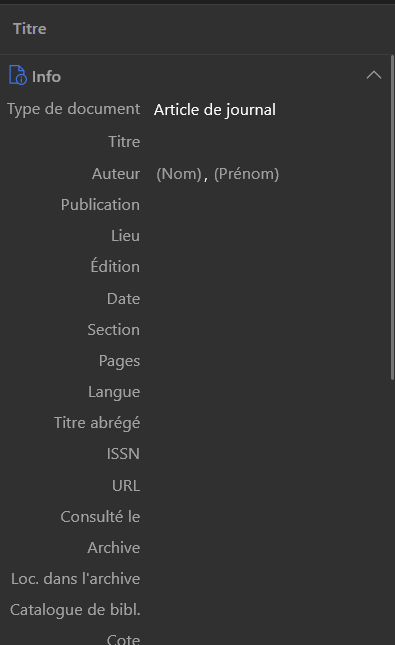
- Click the “New Item” button in Zotero.
- Fill in the fields such as author, title, and date to create a custom entry.
- Drag and drop a PDF file into Zotero.
- Click “Retrieve Metadata” so Zotero can complete the information automatically.
Organize your references here.